Bytebase vs. CloudBeaver: a side-by-side comparison for web-based database management

CloudBeaver is a web-based SQL client. Bytebase is a database DevSecOps platform.
CloudBeaver and Bytebase both run server-side and render in a browser, which is where the similarity ends. CloudBeaver is the web-native descendant of DBeaver — a lightweight SQL client that a team can share through a browser instead of installing desktop software. Bytebase is a database DevSecOps platform built around change review, access control, data masking, and audit logging. If you want a shared web GUI for everyday querying and editing, CloudBeaver fits. If you need review workflows, granular permissions, masking, and audit trails, that's Bytebase.
What Bytebase and CloudBeaver have in common
- Server-side, web-based GUI — query, browse, export, edit.
- Tiered pricing with free and paid plans.
- AWS Marketplace listings for easy procurement.
- Support for a range of SQL and NoSQL databases.
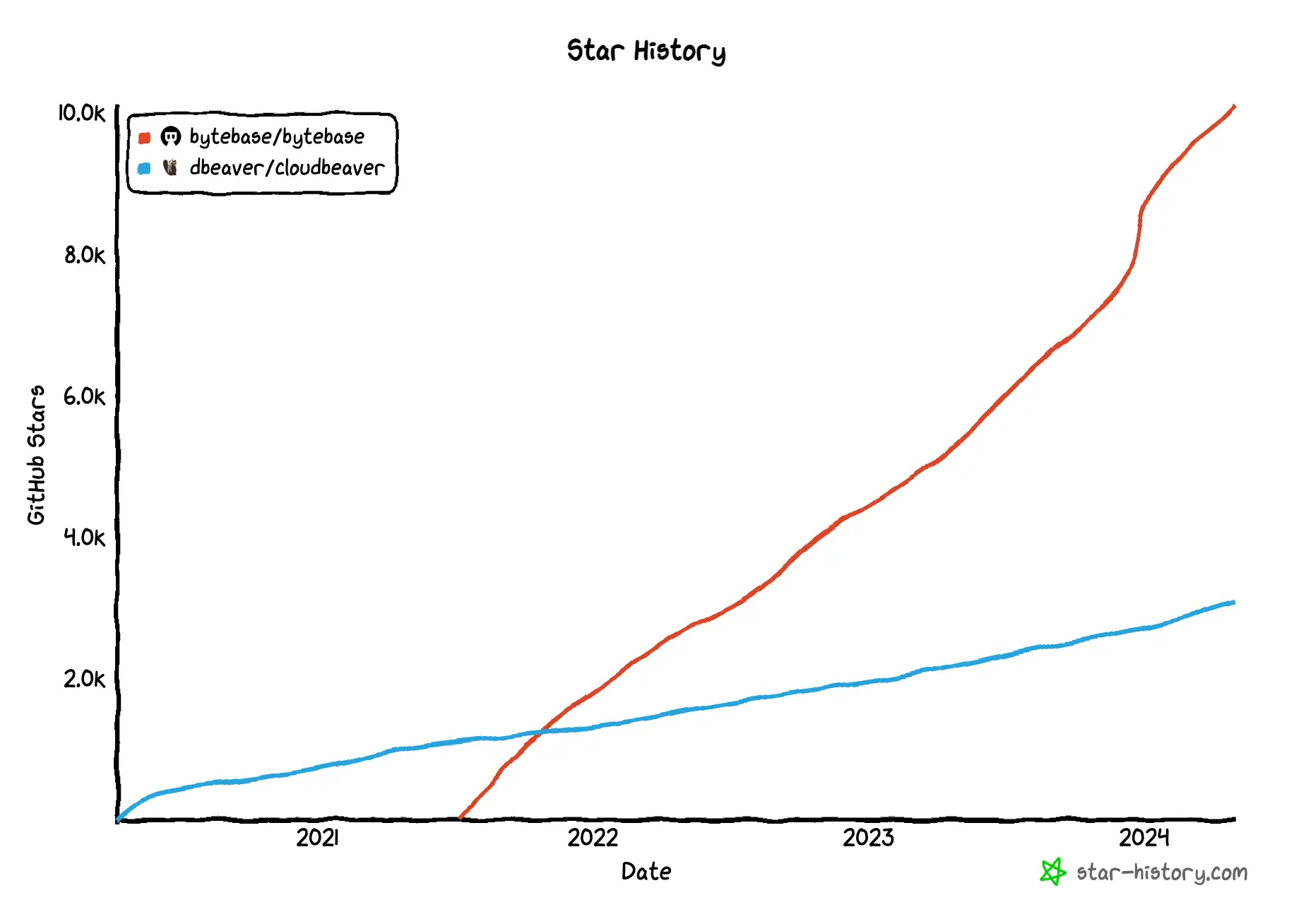
- Open source — CloudBeaver started slightly earlier; Bytebase's star growth has outpaced it since 2023.
Key Differences Between Bytebase and CloudBeaver
Bytebase is built around team workflow — every database change flows through review, approval, and audited rollout. CloudBeaver is built around shared data access — one browser-based client that a team can log into, with lightweight team permissions and a query history log.
| CloudBeaver | Bytebase | |
|---|---|---|
| Product position | Web-based SQL client (DBeaver's cloud sibling) | Database DevSecOps platform |
| Developer interface | Server-side, web-based | Server-side, web-based |
| Installation | Java-based, requires JVM (or Docker) | Go binary, no external dependency |
| Supported databases | CE: ~20; Enterprise: 80+ | 23 with deep integration |
| Query | ✅ | ✅ |
| Change | Direct | Review workflow + configurable direct / Admin mode |
| SQL review rules | ❌ | ✅ 200+ rules (free) |
| Access control | Basic team/user groups + per-connection restrictions | Workspace/project roles (free); database/table-level (Enterprise) |
| Data masking | ❌ | ✅ Enterprise (dynamic, column-level) |
| Compare schema | ❌ | ✅ 1:N (free) |
| Audit log | ✅ Query Manager (paid) | ✅ Pro |
| API | GraphQL | gRPC + HTTP/REST + Terraform provider |
| GitOps | Not built in | ✅ GitHub, GitLab, Bitbucket, Azure DevOps |
Product position
-
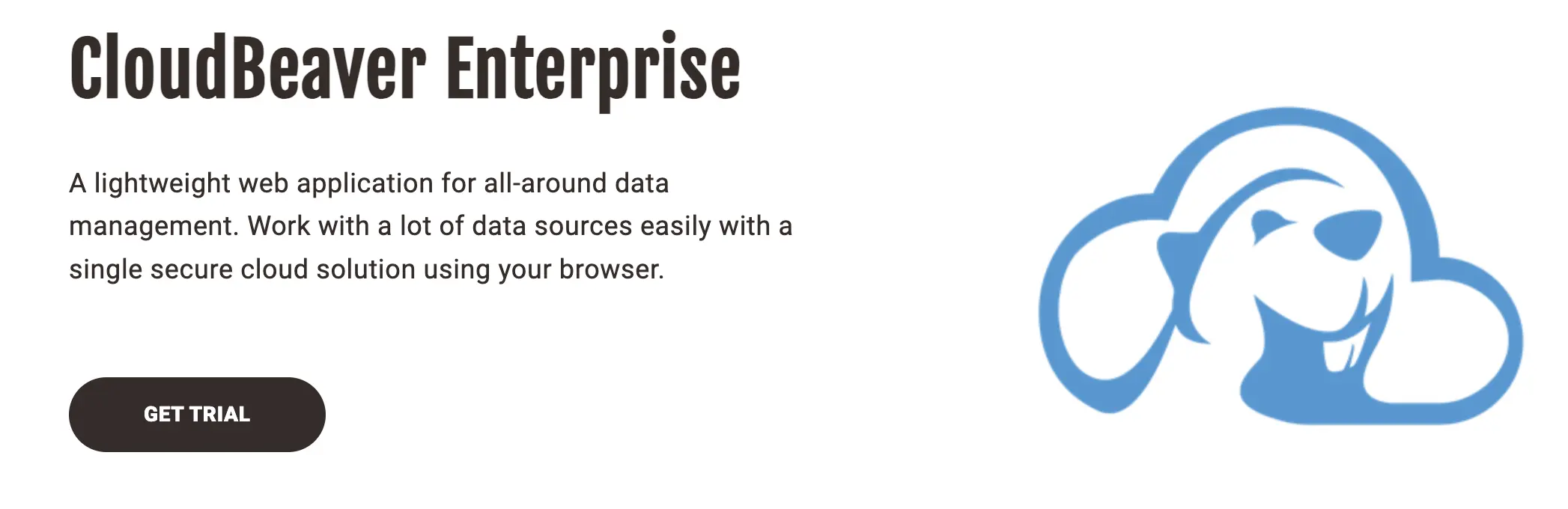
CloudBeaver: A lightweight web SQL client — DBeaver's browser-based cousin. It ships a shared web GUI for querying, editing, and browsing databases. Collaborative features like shared connections and team permissions have grown over time, but the product's center of gravity is still "one SQL client that a team can share in a browser."
-
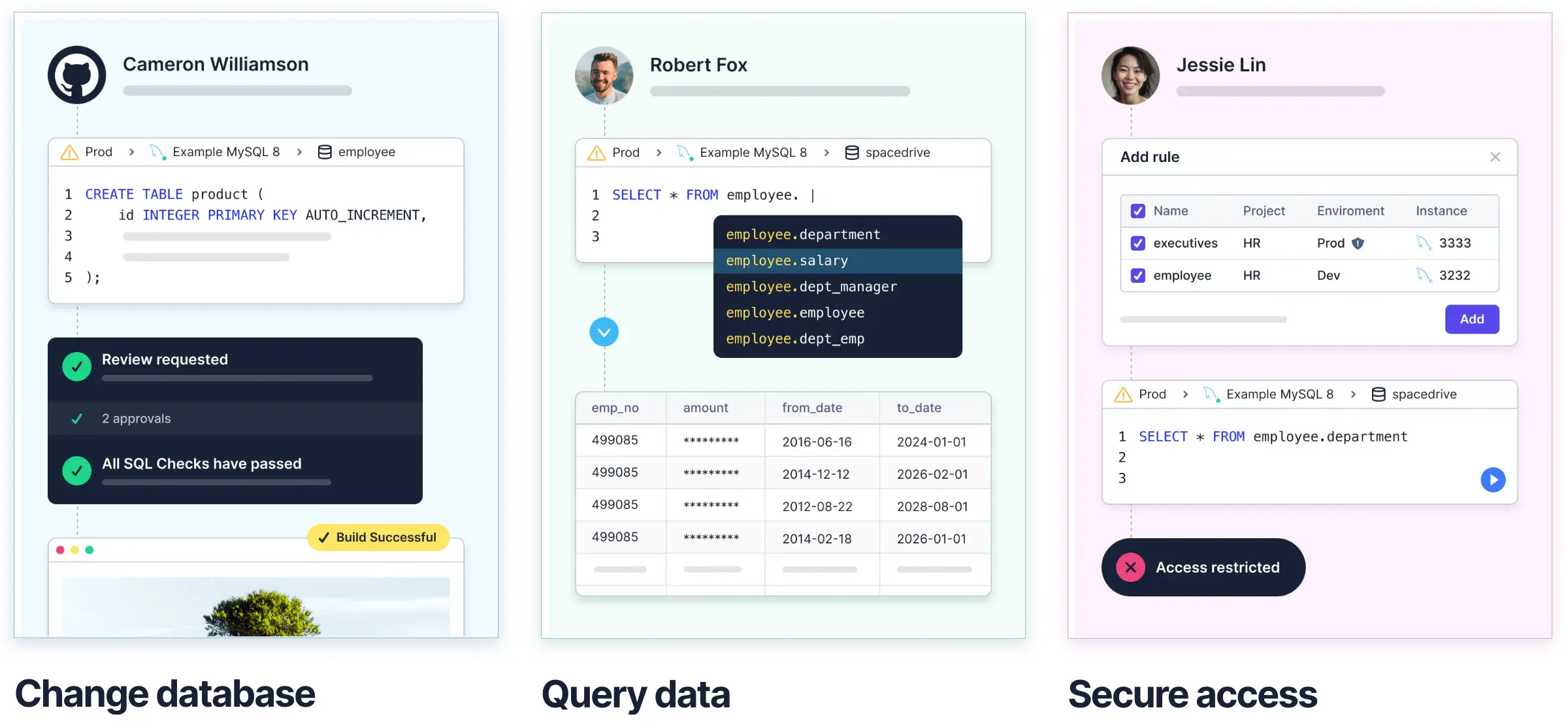
Bytebase: A database DevSecOps platform built around team workflow — every change flows through review, approval, and audited rollout. SQL Editor is one surface; the rest is governance (access control, data masking, audit log, approval flows, GitOps).
Developer interface
-
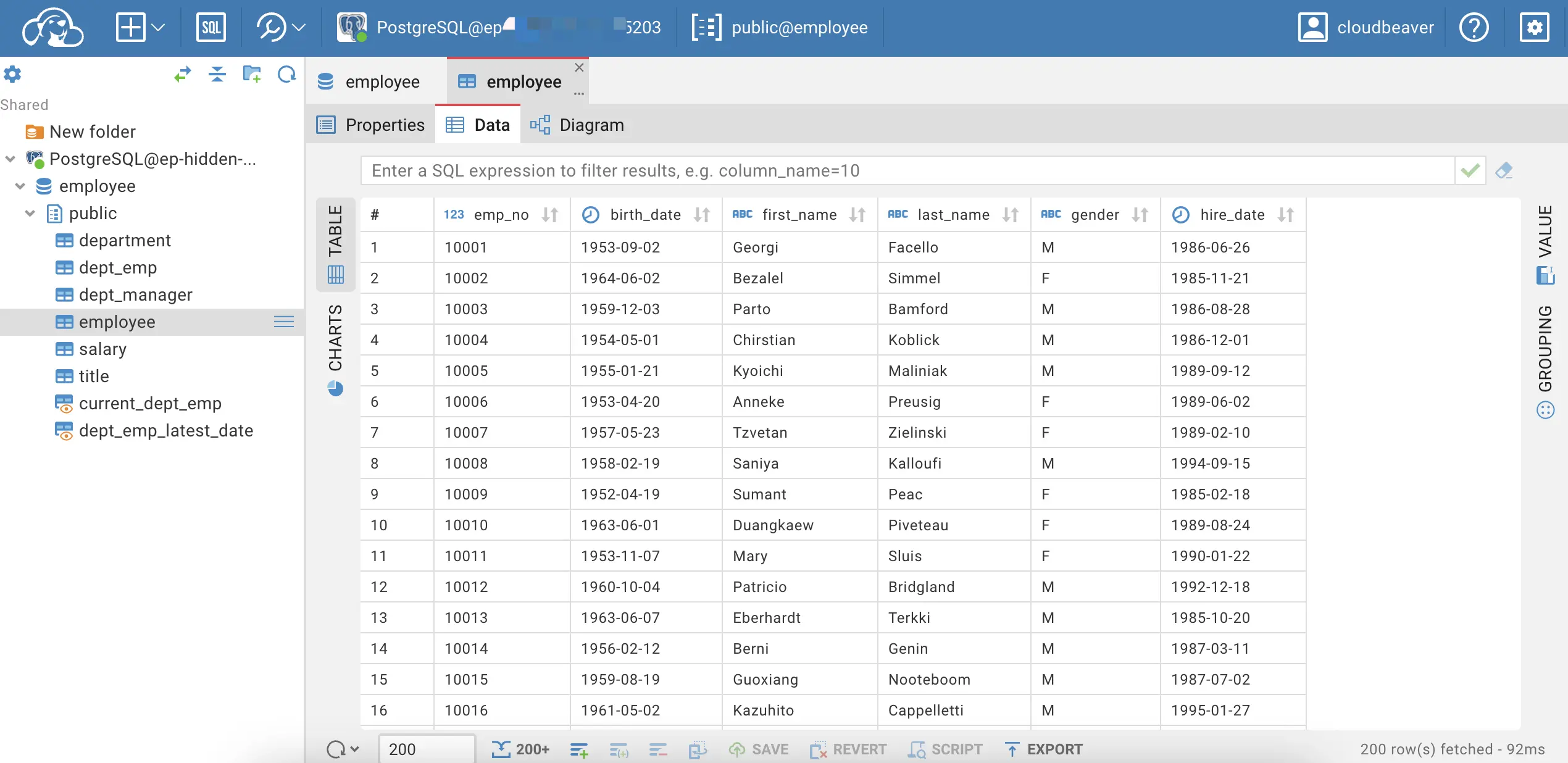
CloudBeaver: Web GUI focused on query, edit, and schema browsing.
-
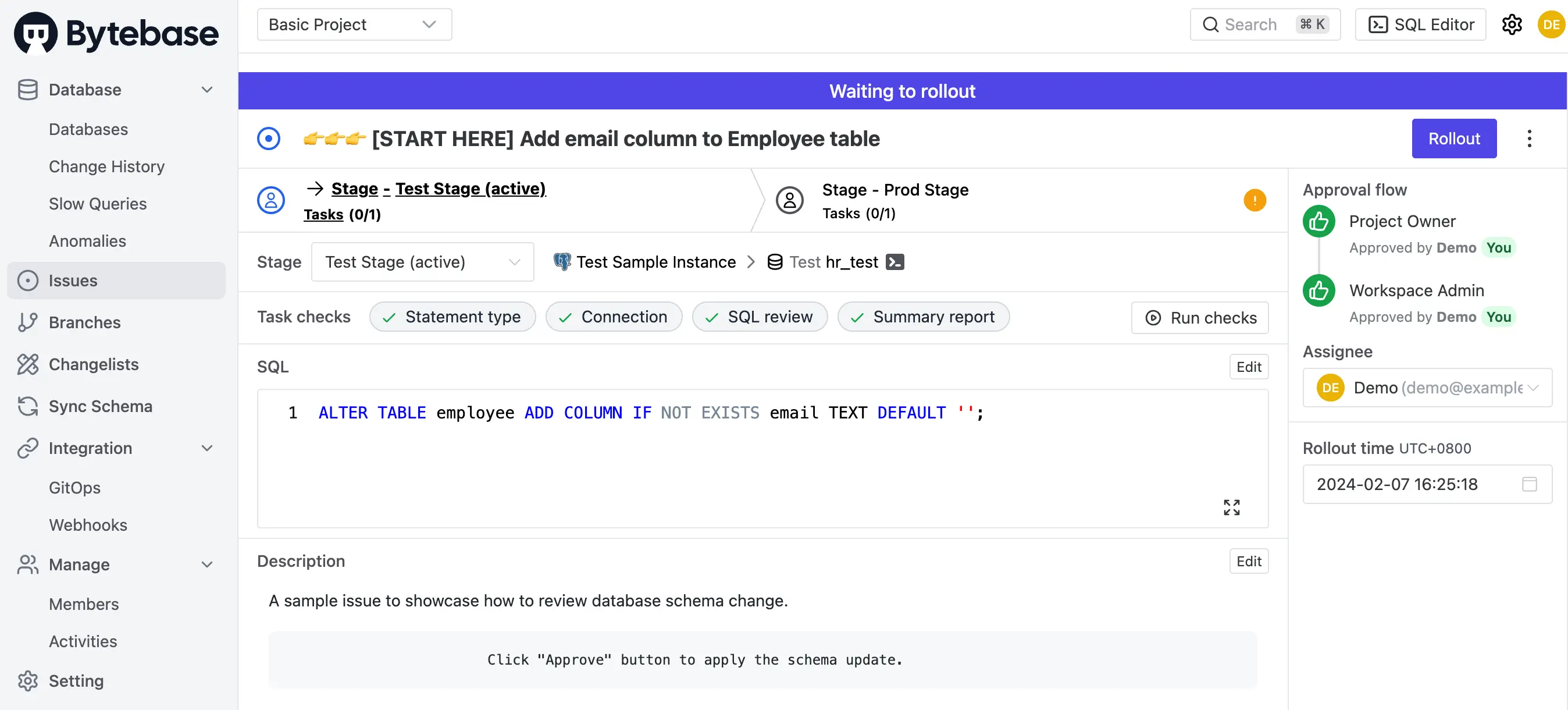
Bytebase: Web GUI with an issue-based change workflow plus a SQL Editor for querying. Also exposes an API, a Terraform provider, and GitOps for teams that prefer automation.
Installation
-
CloudBeaver: Java-based, runs on a JVM or via Docker.
-
Bytebase: Single Go binary, no external dependencies. Also ships as a Docker image and Helm chart for Kubernetes.
Supported databases
-
CloudBeaver: The Community Edition covers ~20 common databases (MySQL, PostgreSQL, Oracle, SQLite, SQL Server, MariaDB, and similar). CloudBeaver Enterprise adds 80+ engines including NoSQL (MongoDB, Cassandra, Redis) and cloud warehouses (Redshift, BigQuery, Snowflake).
-
Bytebase: 23 engines with deep integration — 9 RDBMS (MySQL, PostgreSQL, Oracle, SQL Server, MariaDB, TiDB, OceanBase, CockroachDB, Spanner), 6 NoSQL (MongoDB, Redis, Cassandra, DocumentDB, DynamoDB, Cosmos DB), 7 data warehouses (Snowflake, BigQuery, Redshift, Hive, ClickHouse, Databricks, StarRocks), and Elasticsearch. Each engine gets engine-specific SQL review rules, schema sync, and masking support.
Query
-
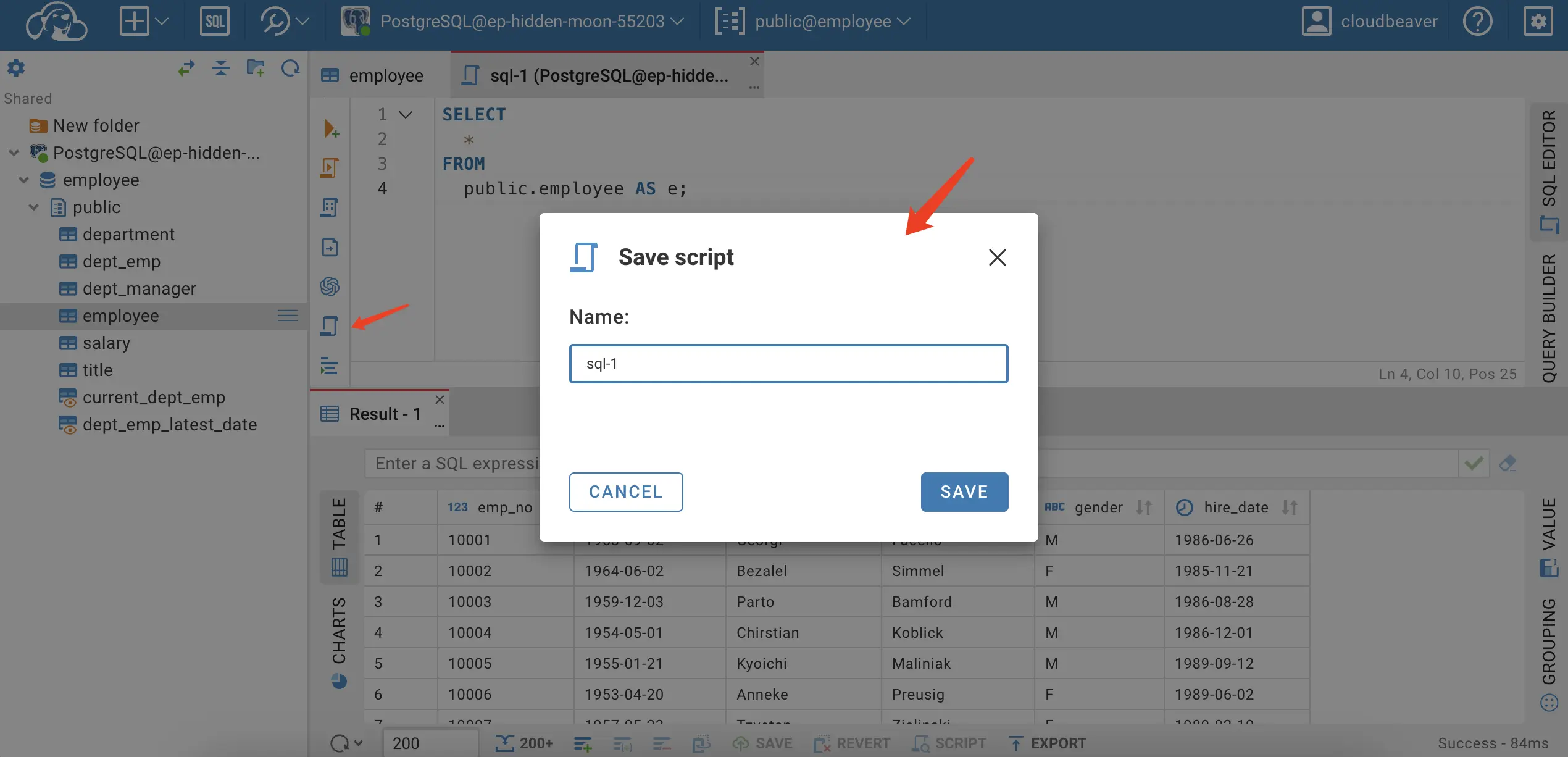
CloudBeaver: Query by double-clicking a table or writing SQL with templates and autocomplete. Enterprise adds a visual query builder for point-and-click query construction.
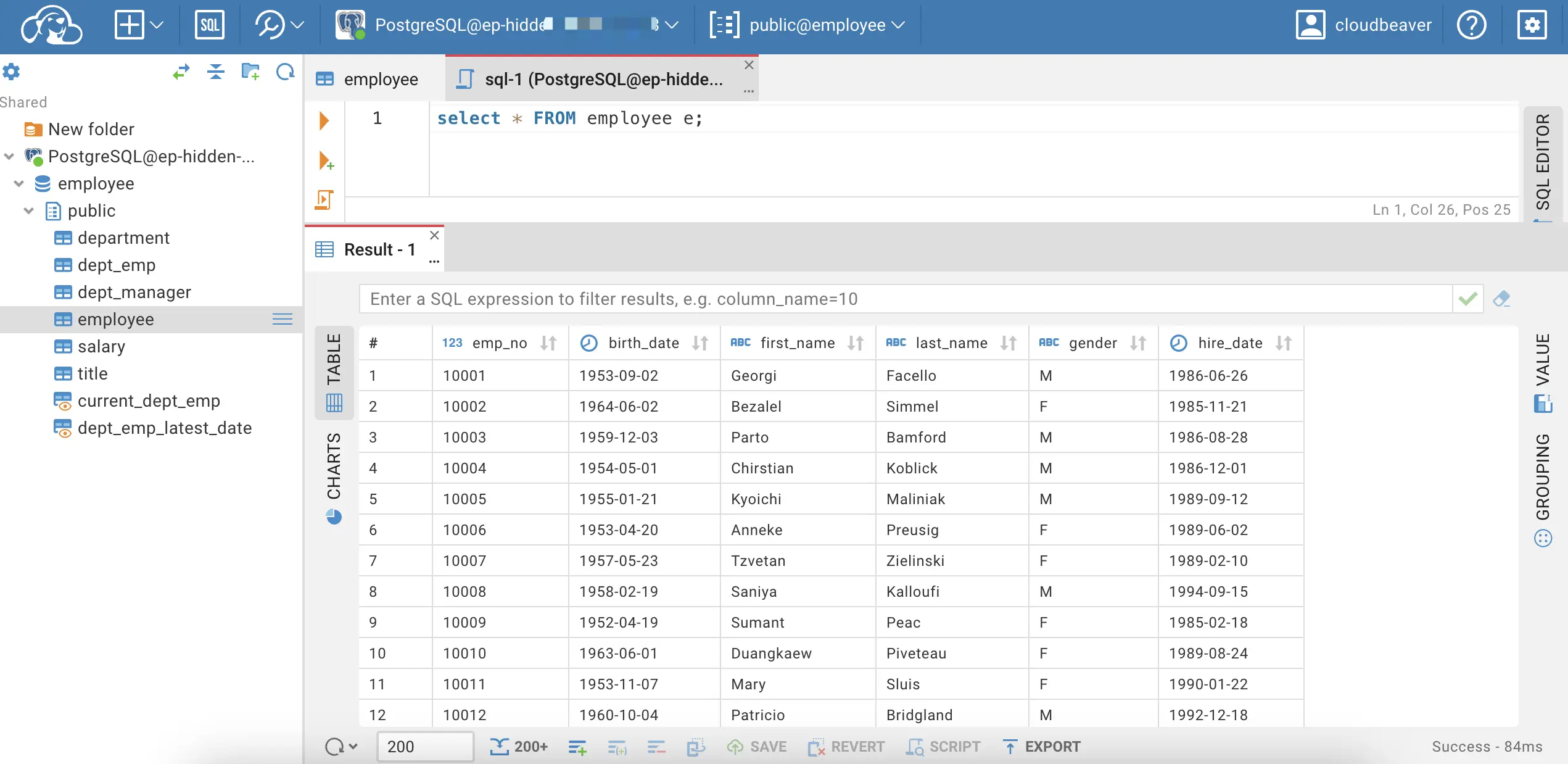
Saved scripts can be shared alongside the connection they belong to.
-
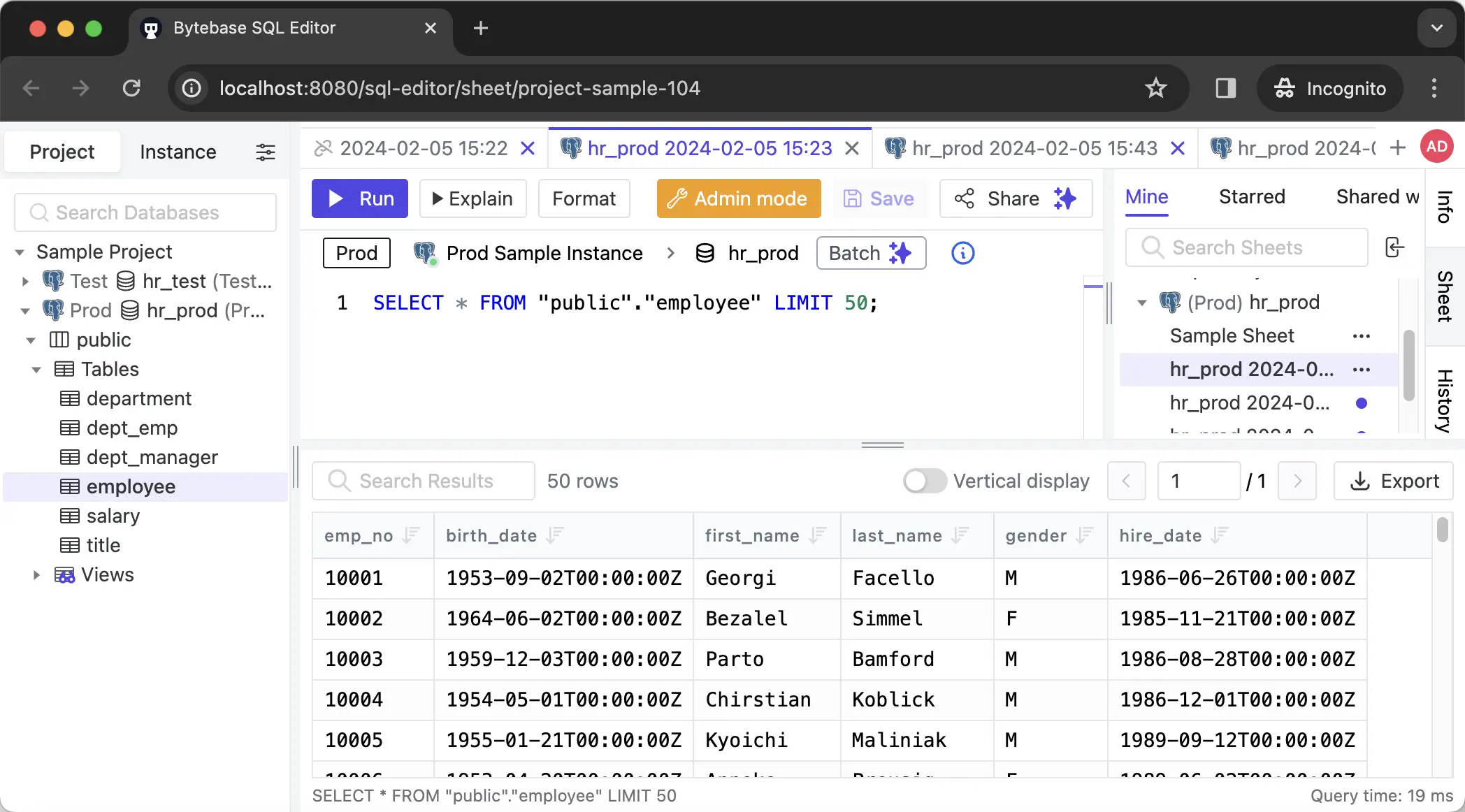
Bytebase: The SQL Editor runs queries through the platform — double-click a table or write SQL with autocomplete.
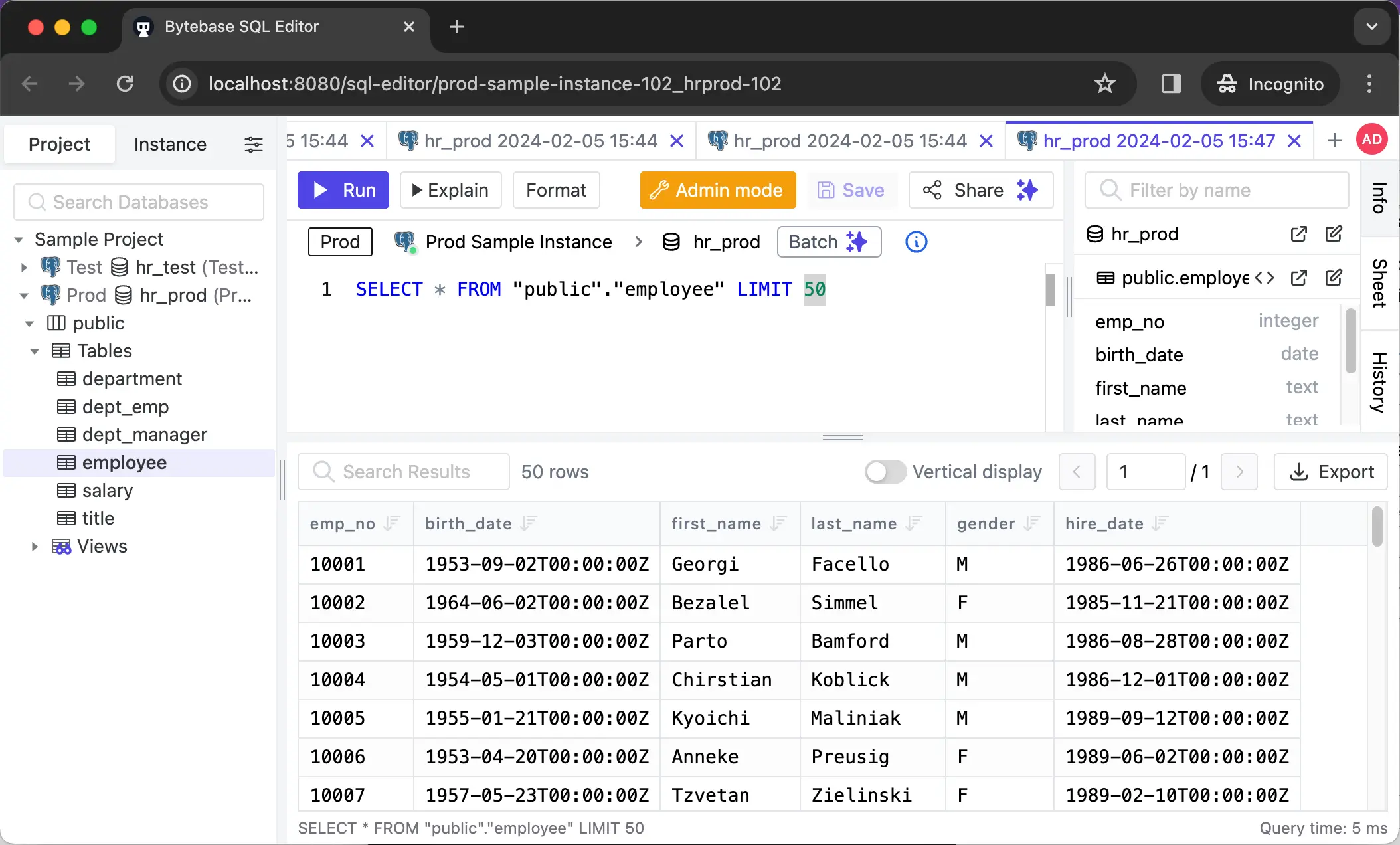
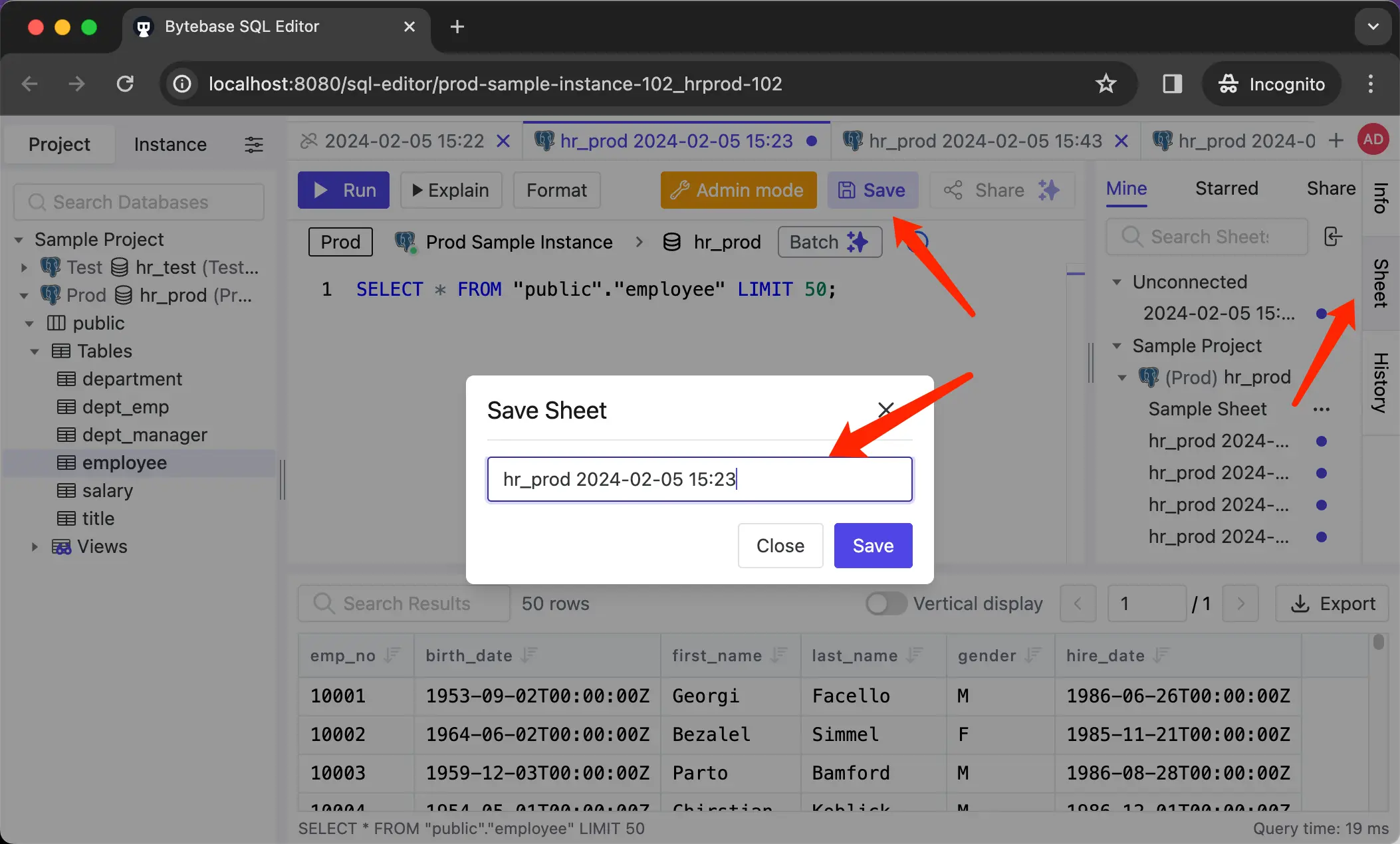
Save or star scripts for quick access. On Pro and above, share scripts with your team or project.
Change
-
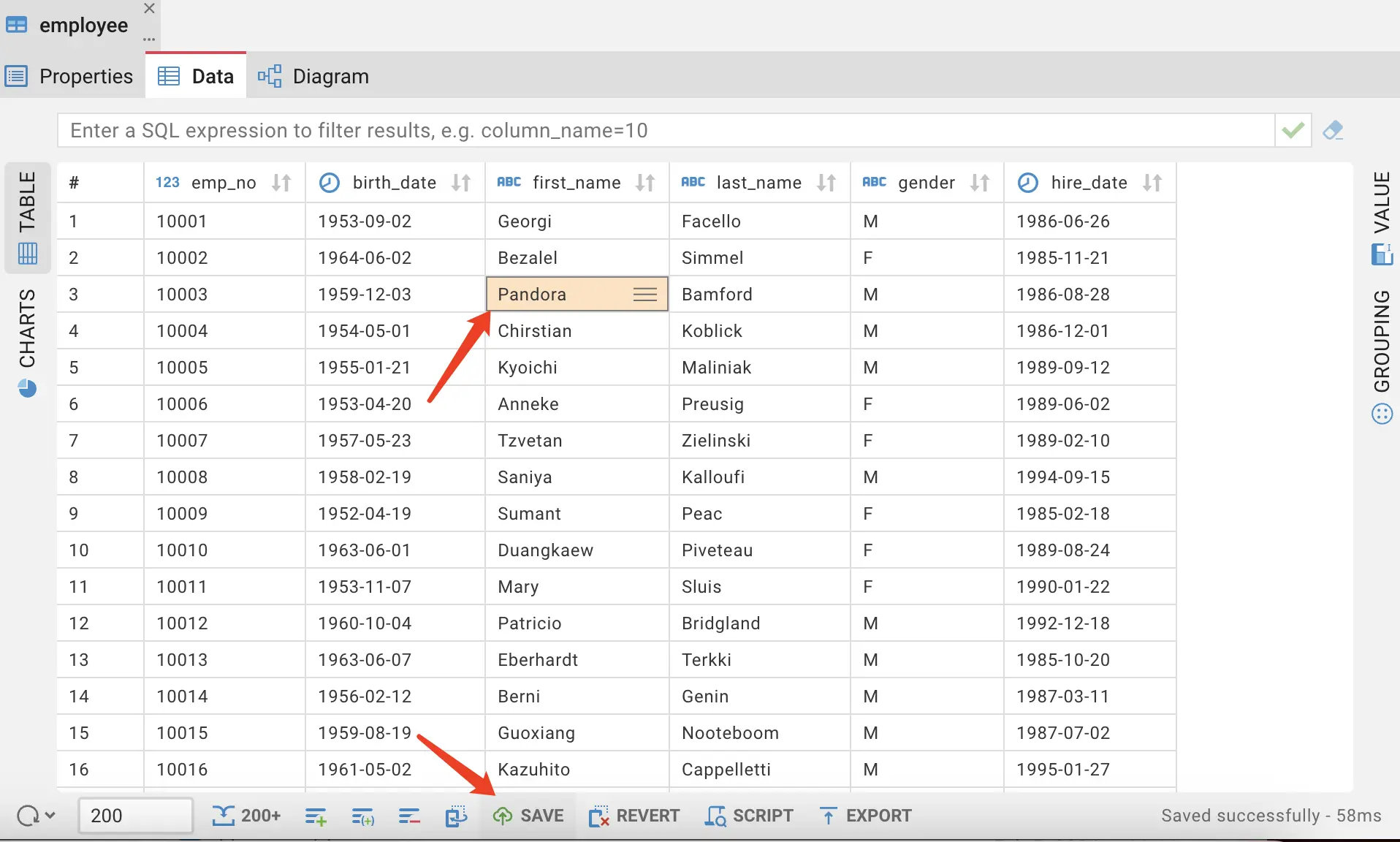
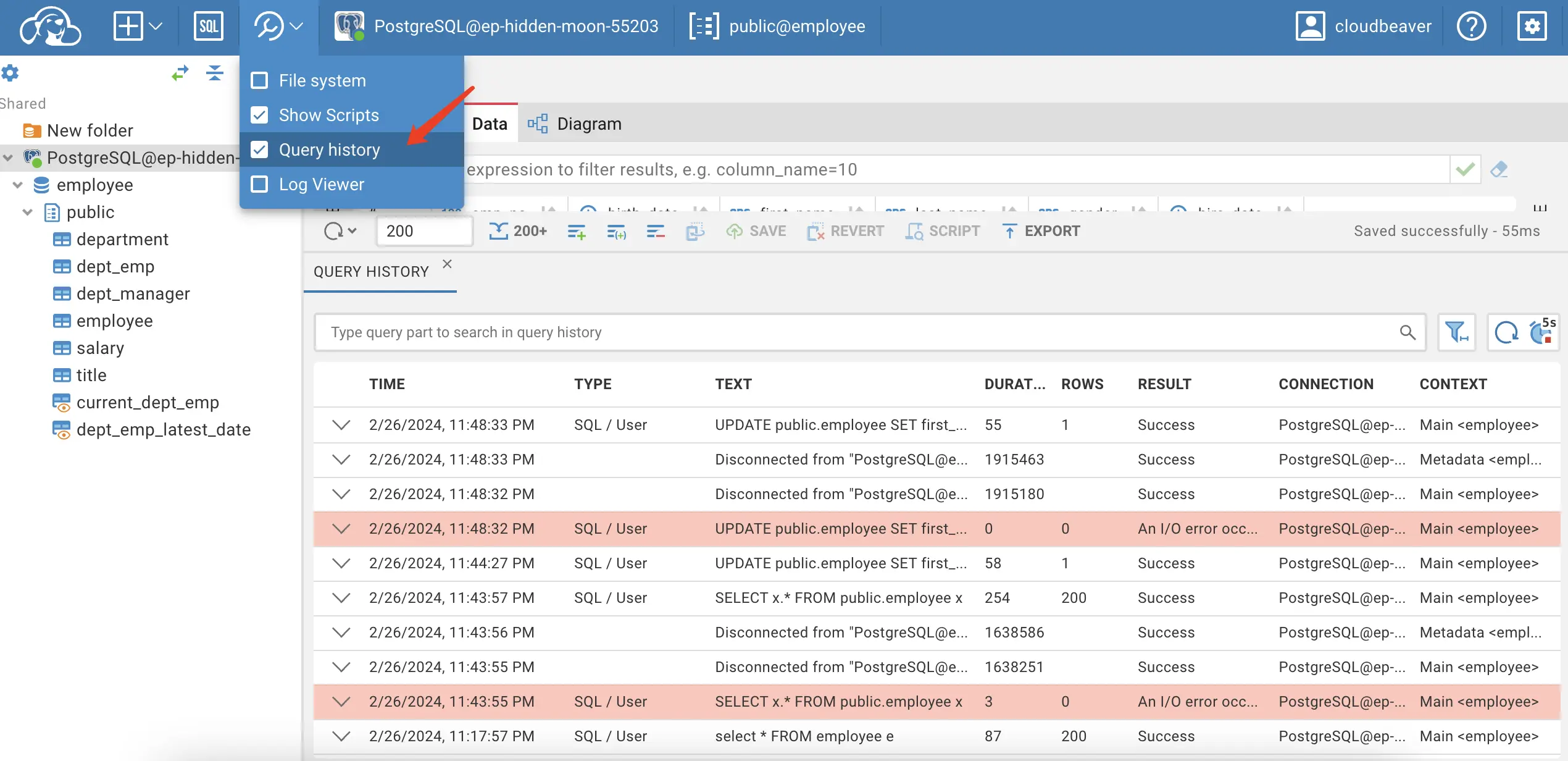
CloudBeaver: Edit data directly in the result grid or run SQL manually. Changes hit the database immediately — no review, no approval flow. Query Manager logs executed statements for later inspection (paid tier).
-
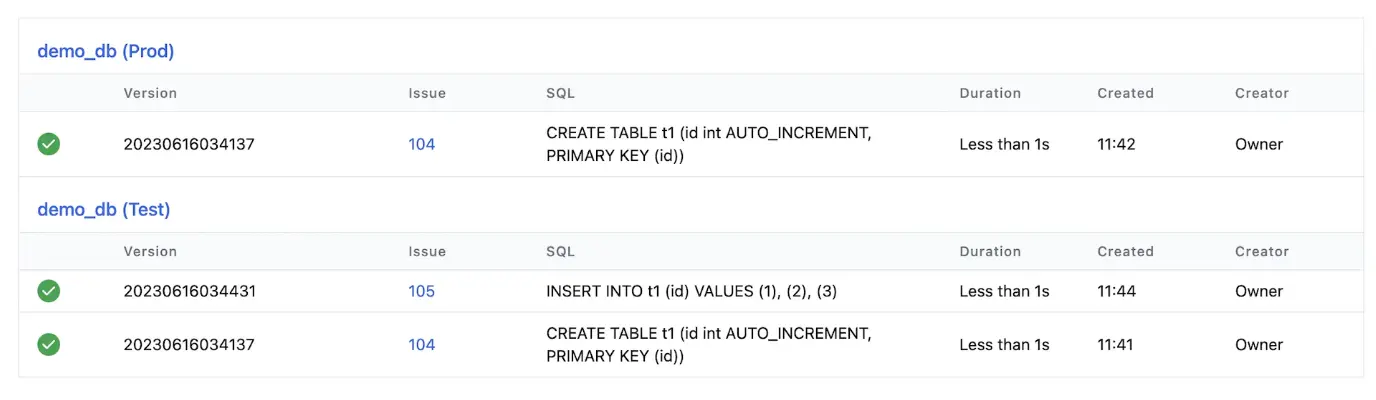
Bytebase: Changes flow through an issue — like a pull request for the database. Each issue runs automated SQL review (200+ rules), routes through a custom approval flow if configured, and deploys with full history tracking. Admins can choose to allow direct change per environment or enforce review platform-wide.
Every change is recorded in Change History with diff view and rollback scripts.
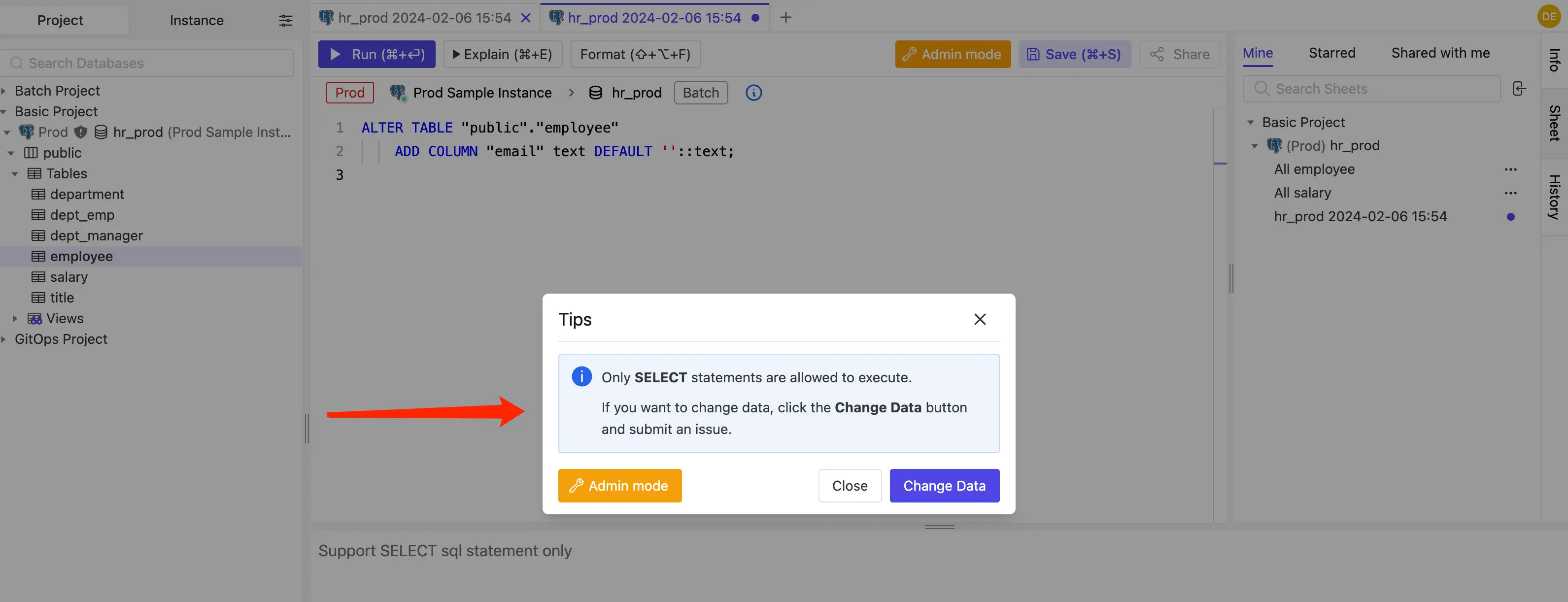
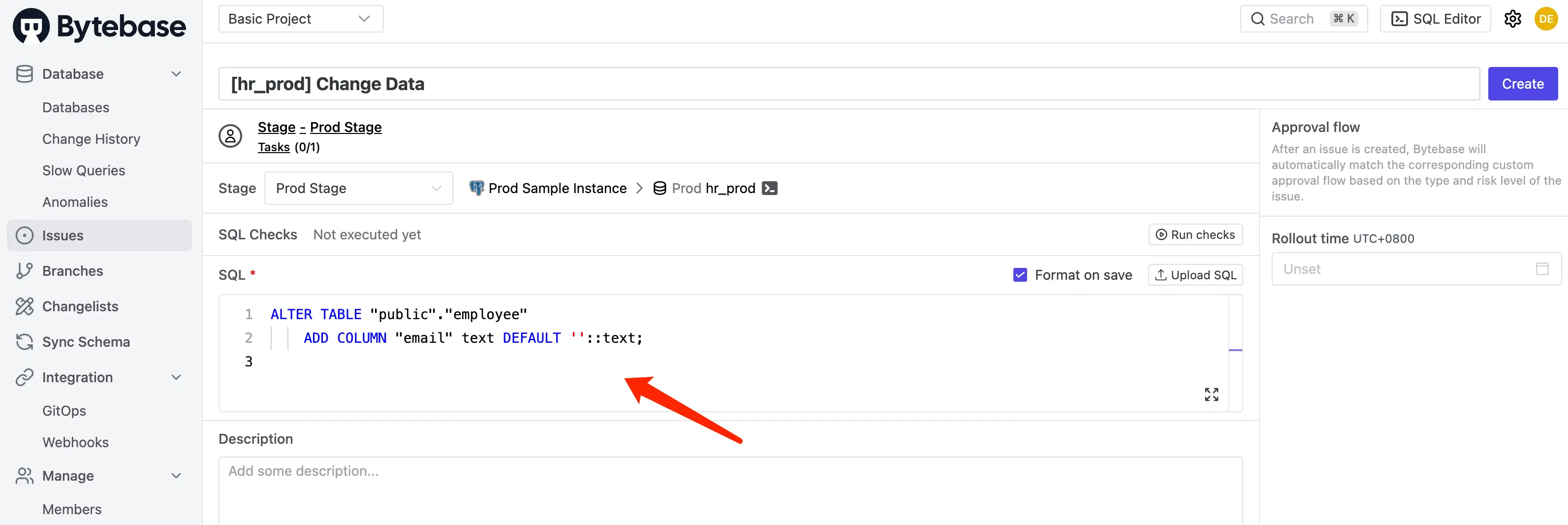
Ad-hoc DDL (e.g. ALTER TABLE typed into SQL Editor) either creates a new issue or requires Admin mode — a deliberate escape hatch for break-glass scenarios, similar to SSH on a server.
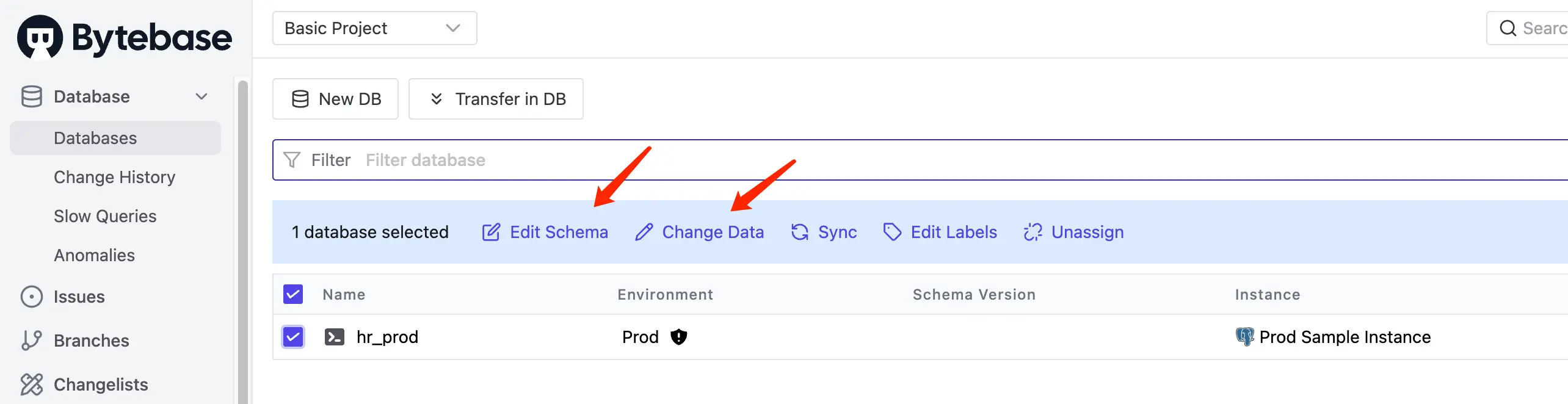
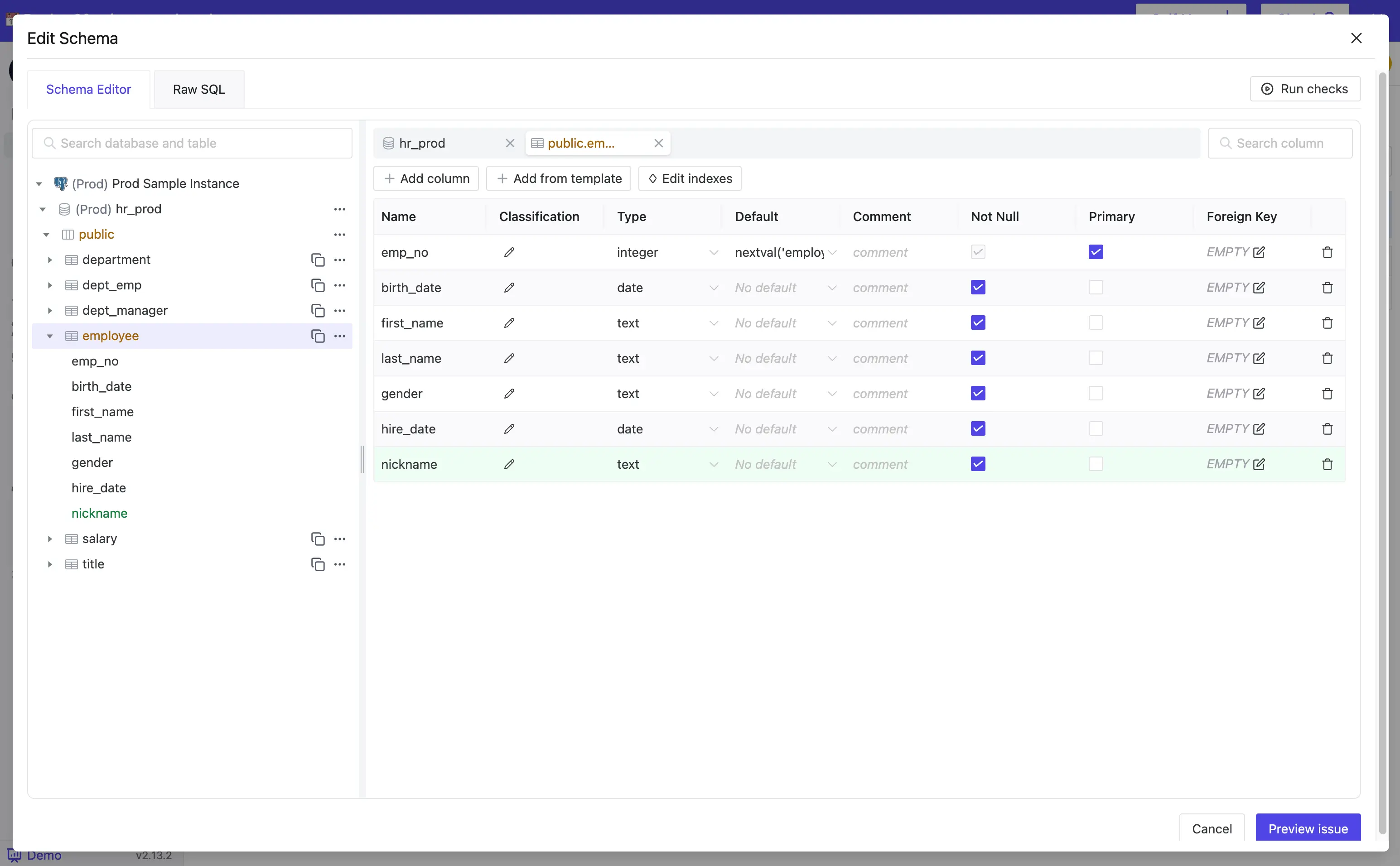
For schema changes, most teams use the visual Schema Editor — edit columns, constraints, and indexes in the GUI and Bytebase generates the DDL automatically.
Access Control
-
CloudBeaver: Default teams are
admin(admin panel access) anduser(no admin access). You can create additional teams and restrict connection access per team or per user.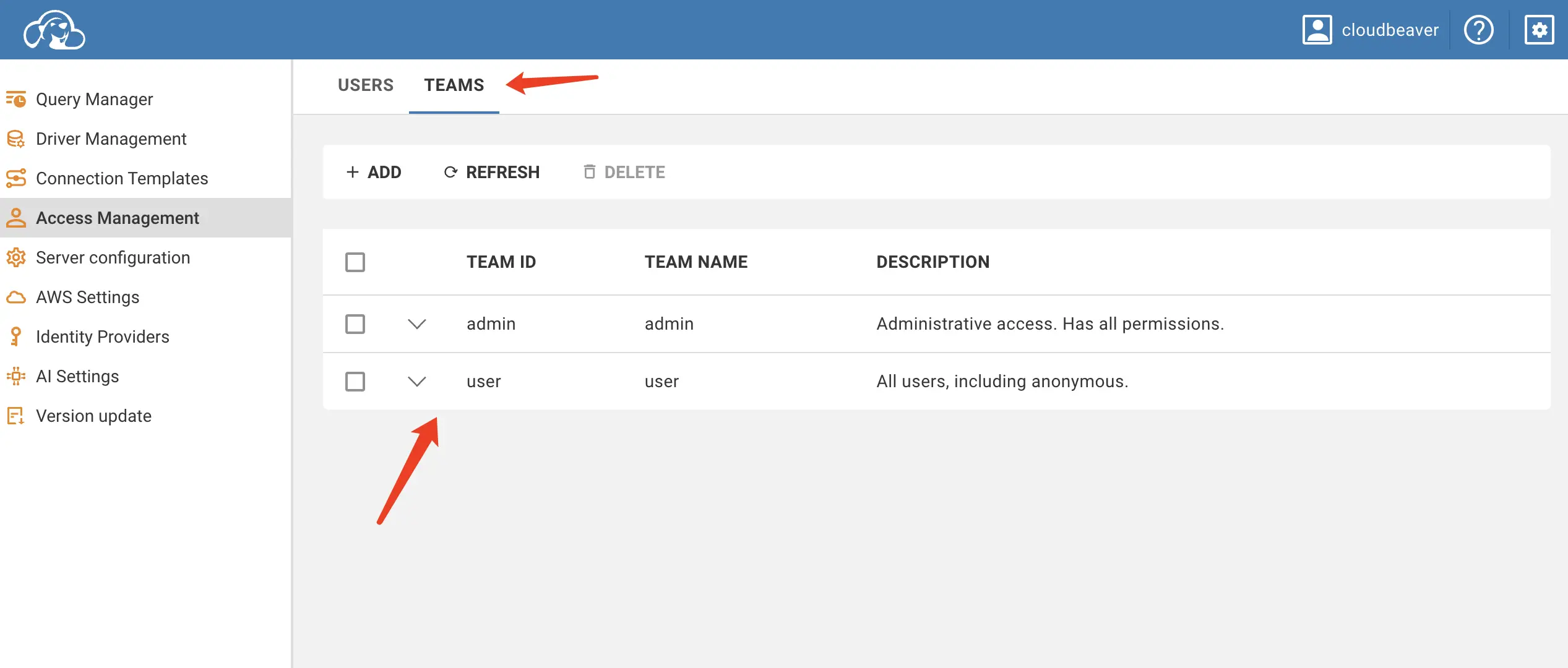
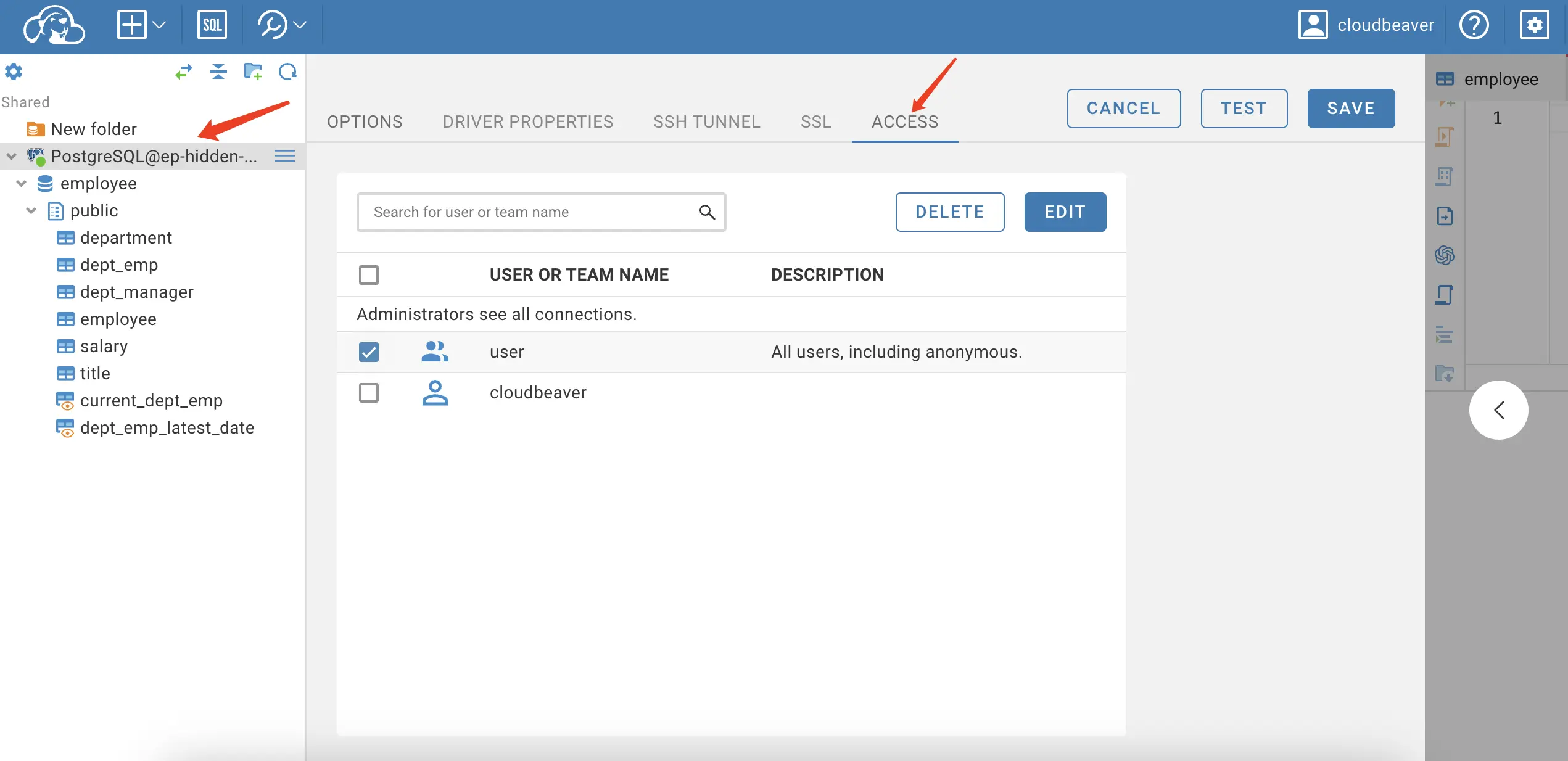
The model is connection-scoped — if you can see a connection, you can see everything the connecting user can. No concept of permissions below the database level.
-
Bytebase: Roles are scoped to Workspace and Project levels.
Workspace Admin/DBAprovision instances and manage members;Project Ownermanages databases, issues, and roles within their project. Individuals can hold multiple project-level roles likeProject Developer(change database) orSQL Editor User(query only).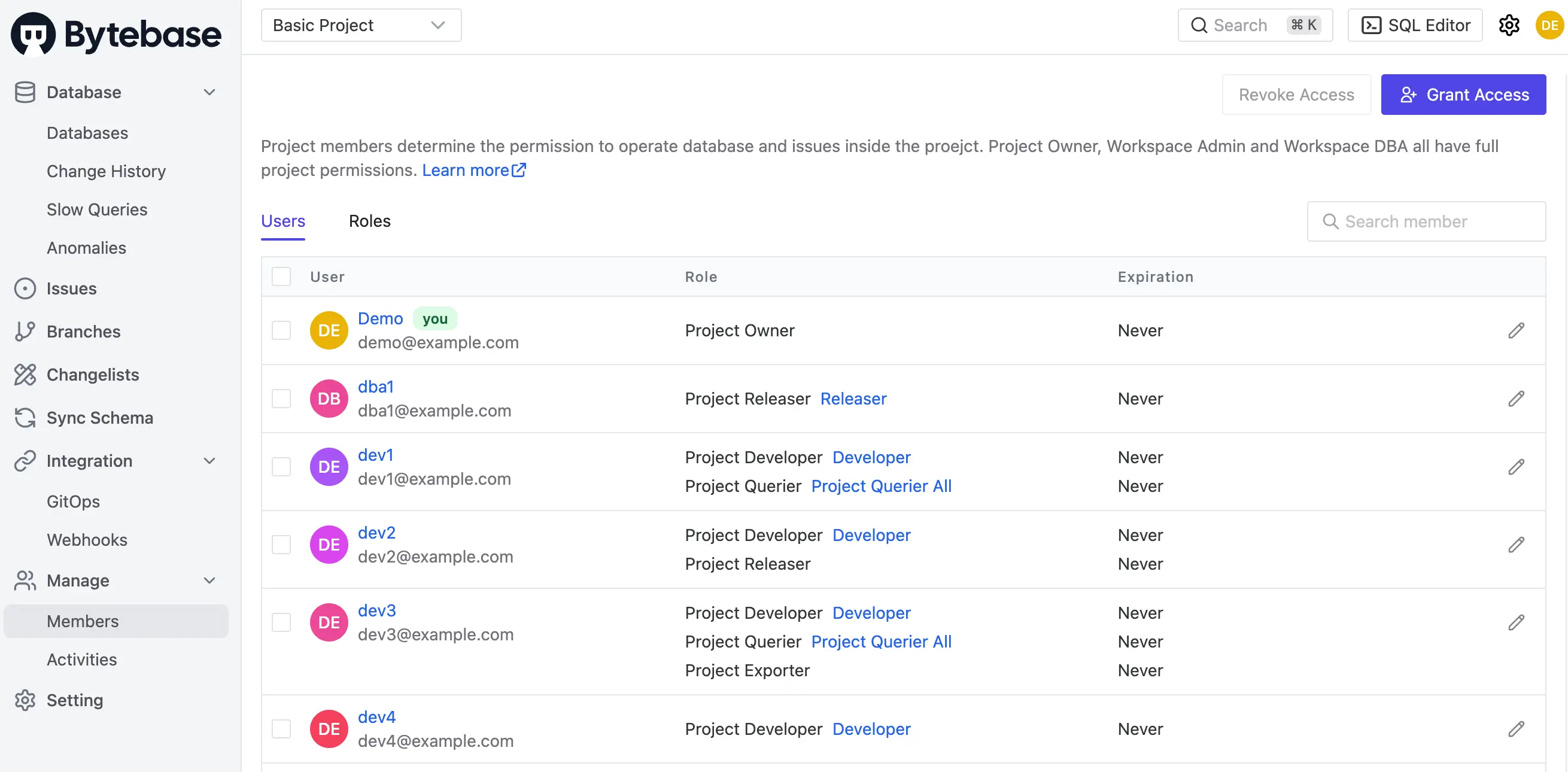
On Community, users only see projects they're assigned to. On Enterprise,
Project Ownercan grant access down to specific databases or tables, and developers can request Just-In-Time access via a request issue that expires automatically.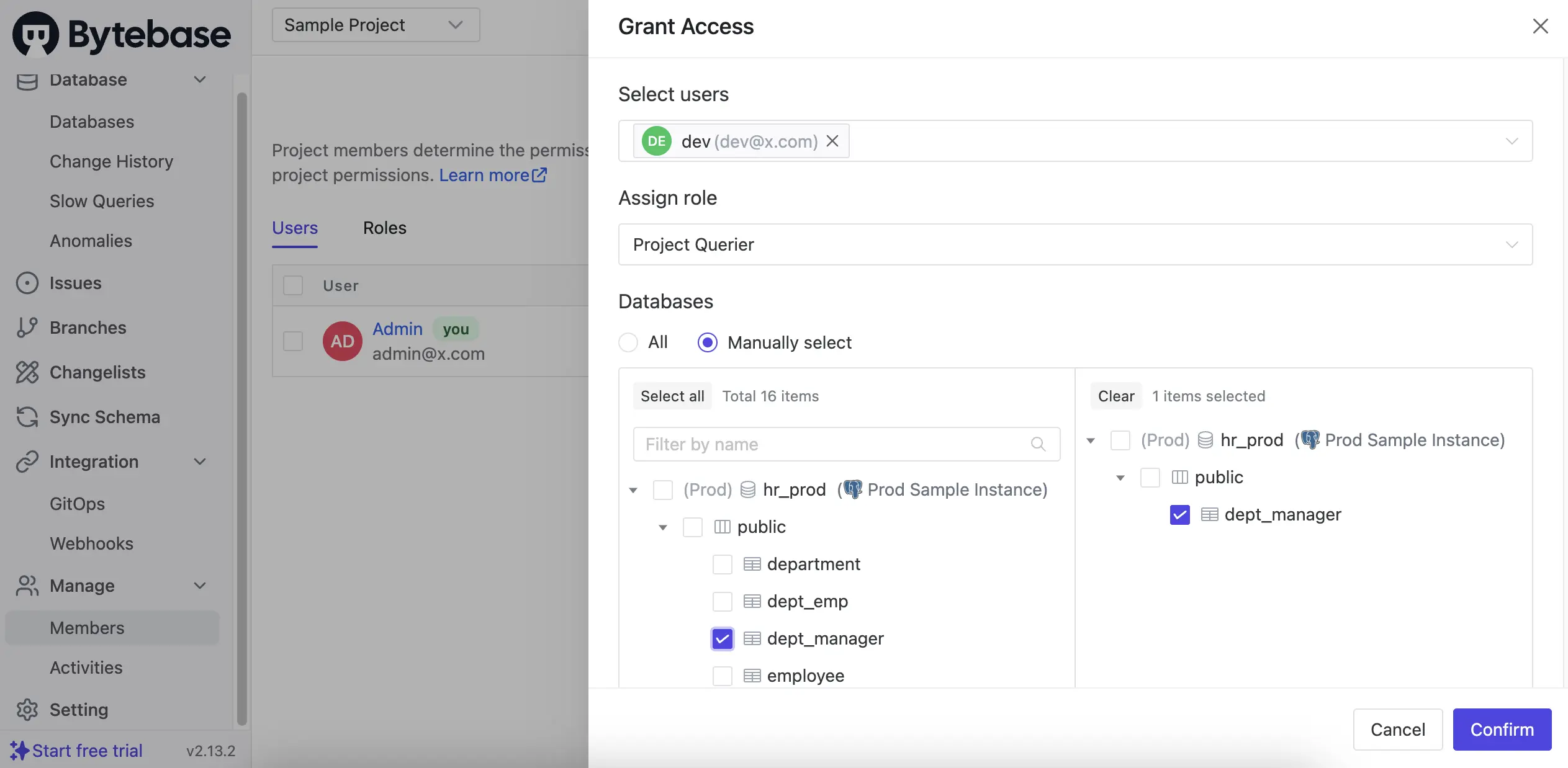
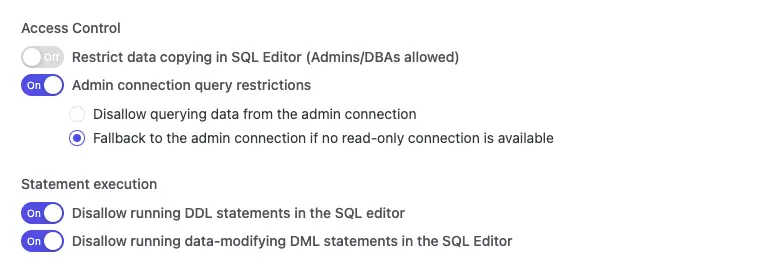
Different environments can enforce different policies — e.g., read-only access to production, full access to development.
Data Masking
-
CloudBeaver: Not available. Query results return raw data.
-
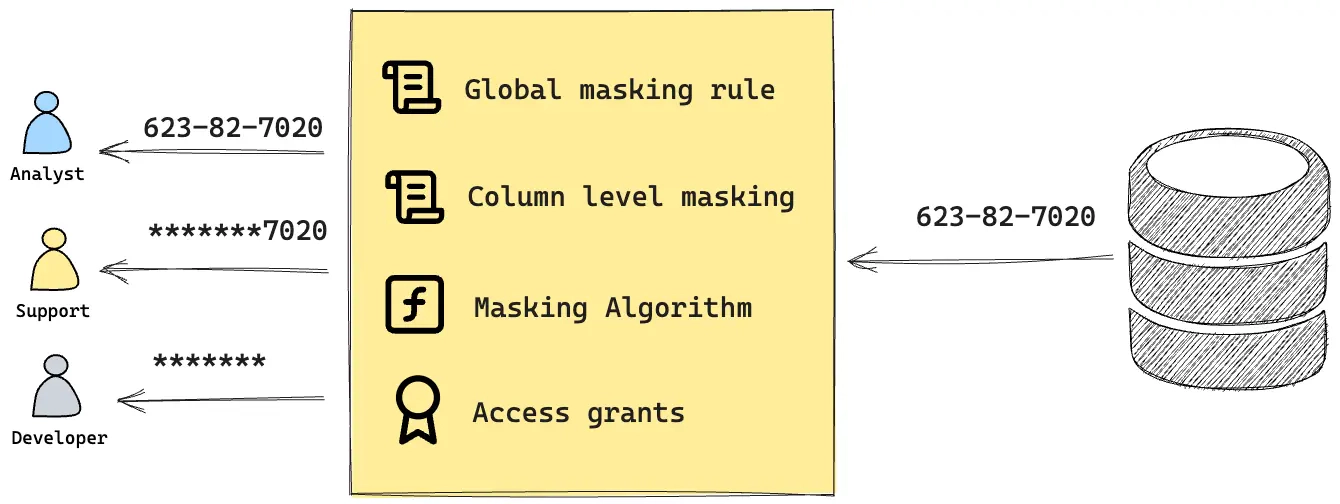
Bytebase: Dynamic data masking at the column level (Enterprise).
Admin/DBA/Project Ownerconfigure masking per column and authorize specific users to see the original data. Everyone else sees masked values in query results.Semantic types (email, phone, credit card, SSN) let you define reusable masking algorithms applied consistently across the schema.
Compare Schema
-
CloudBeaver: Not available.
-
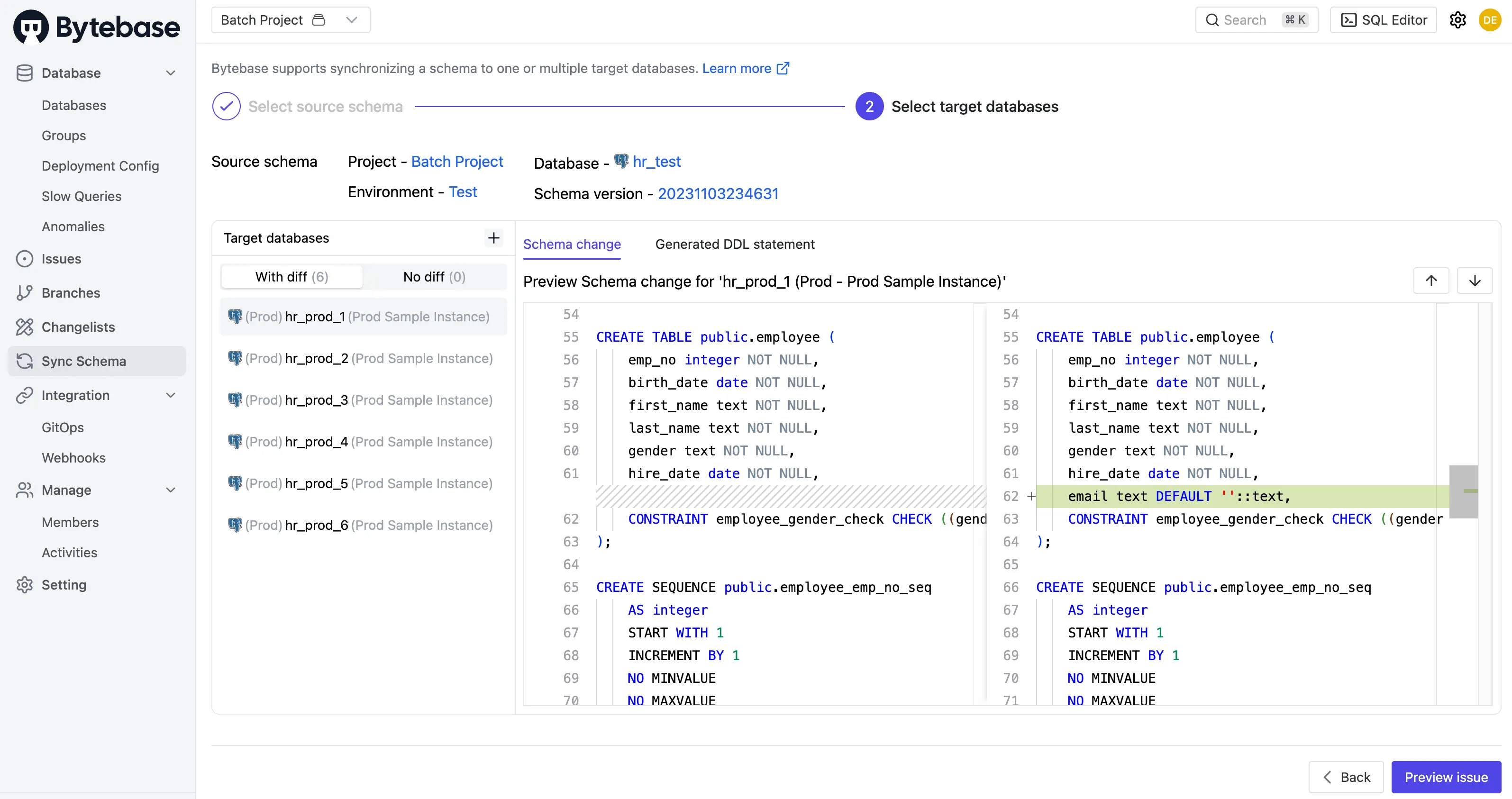
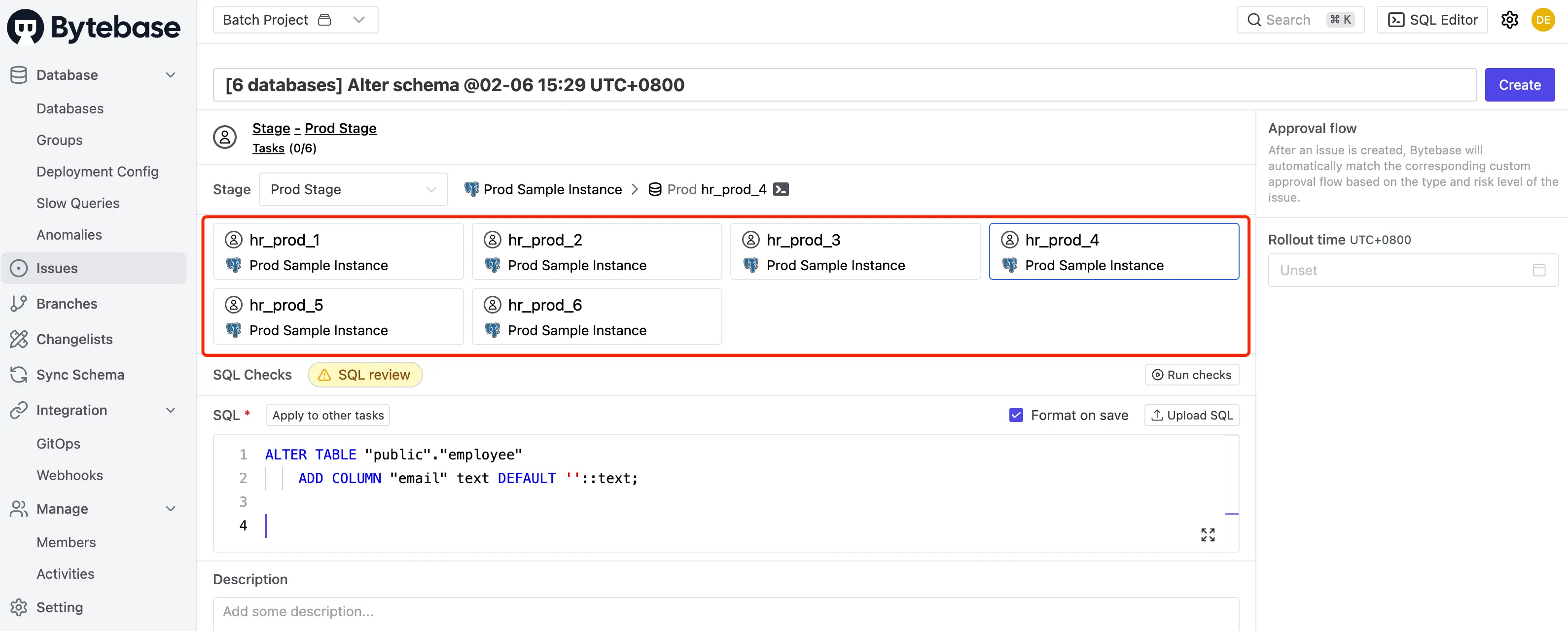
Bytebase: Schema Sync is 1:N (free) — pick one source database and compare against several targets at once. Results become a batch change issue that routes through SQL review, approval, and rollout.
Audit log
-
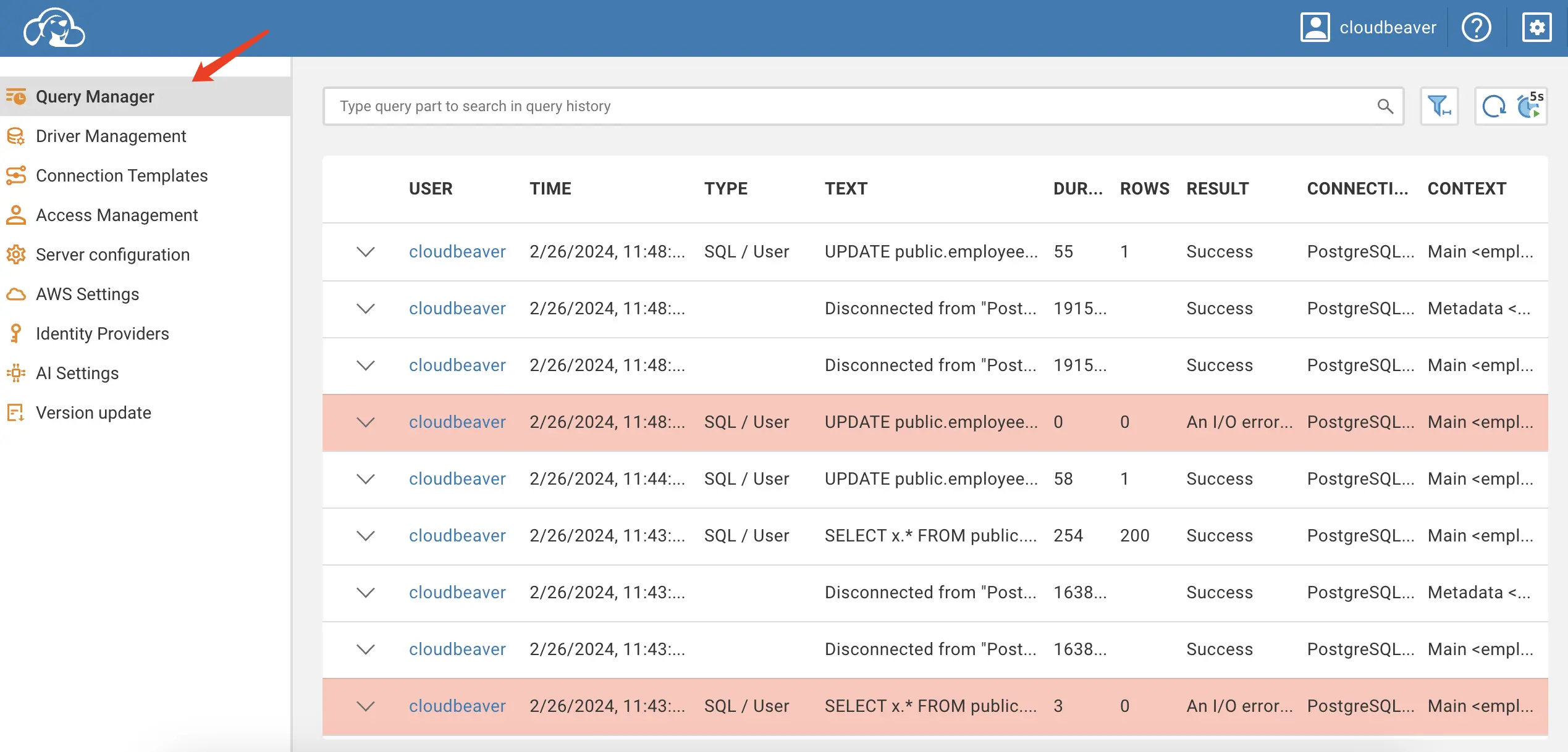
CloudBeaver: Query Manager (paid) logs executed SQL statements per connection.
-
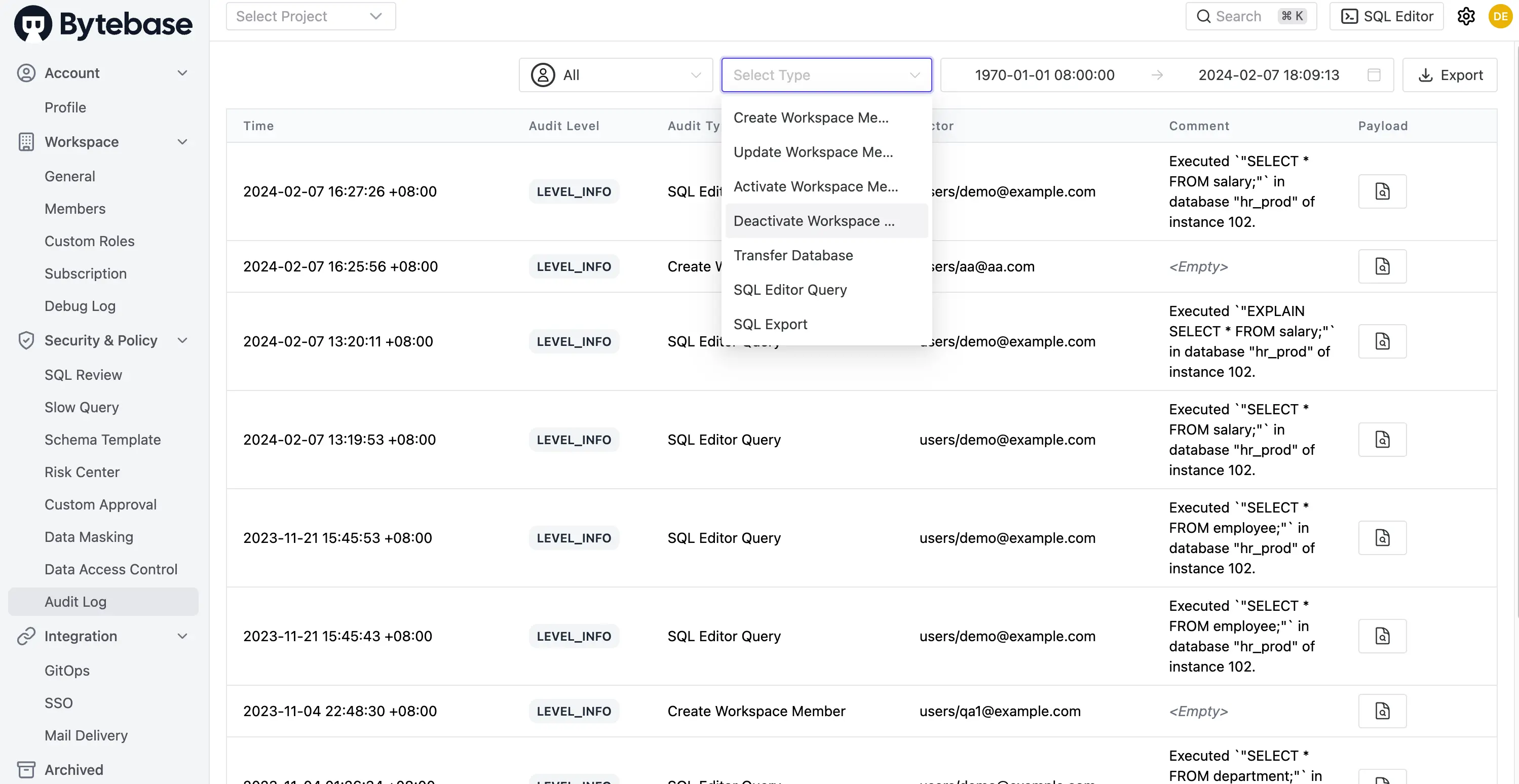
Bytebase: Audit Log (Pro and above) records every action in the platform — queries, DDL, approvals, policy changes. Filter by user, action type, or time range; export for SIEM ingestion.
API
-
CloudBeaver: GraphQL API. Documentation is sparse — mostly auto-generated schema reference.
-
Bytebase: gRPC and HTTP/REST APIs with full docs, code samples, and a Terraform provider.
GitOps
-
CloudBeaver: No built-in GitOps. You could roll your own via the GraphQL API, but there's no out-of-the-box workflow.
-
Bytebase: GitOps with GitHub, GitLab, Bitbucket, and Azure DevOps. SQL files committed to a repo create change issues in Bytebase automatically, with SQL review running as a merge check. See the database-security example for a full GitOps setup.
Pricing
-
CloudBeaver: Community Edition is free and open source (AGPLv2). CloudBeaver Team and Enterprise are subscription-based with custom pricing — add NoSQL drivers, cloud warehouse support, Query Manager, SSO, and team management.
-
Bytebase: Community is free, self-hosted, up to 20 users and 10 instances — includes SQL review, GitOps, multi-env rollouts. Pro is $20/user/month (cloud, up to 10 instances) and adds SSO, audit log, user groups. Enterprise is custom pricing, self-hosted or cloud, and unlocks dynamic data masking, custom approval flows, custom roles, SCIM, LDAP/OIDC SSO, and 2FA.
When to Choose CloudBeaver
- You want a browser-based SQL client your team can share without installing desktop software.
- Your workflow is primarily query and edit — review, approval, and compliance aren't priorities.
- You need JDBC breadth for obscure or niche databases (Enterprise tier).
- You're already invested in the DBeaver ecosystem and want the web equivalent.
When to Choose Bytebase
- You want a platform that covers change review, access control, data masking, and audit logging — not just a web SQL client.
- Developers write changes and DBAs (or platform engineers) review and deploy them.
- You need compliance artifacts — approval trails, audit logs, masking — for SOC 2, GDPR, or internal policy.
- You want database changes treated like code changes: reviewed, approved, traceable, and rolled out across environments.
FAQ
Can I use CloudBeaver and Bytebase together?
Yes. Teams sometimes use CloudBeaver as a general-purpose web SQL client for developers who need ad-hoc querying across many databases, and use Bytebase as the governance layer — any change that ships to production routes through Bytebase's review and approval pipeline.
Isn't CloudBeaver just "DBeaver in a browser"?
Pretty much. CloudBeaver shares DBeaver's JDBC driver foundation and much of its UI language. The value over DBeaver is that it runs on a shared server and everyone logs in through a browser instead of installing a desktop client. The tradeoff is that some advanced desktop features (ER diagrams, data transfer wizards, complex query builders) are lighter or missing in CloudBeaver.
Does Bytebase have everything CloudBeaver has?
For everyday team querying, yes — SQL Editor, schema browser, export, sharing. What Bytebase doesn't prioritize is JDBC breadth (23 engines vs CloudBeaver Enterprise's 80+). Bytebase goes deep on its supported engines with engine-specific review rules, schema sync, and masking support; CloudBeaver goes wide across more drivers.
Is Bytebase Community actually usable for production?
Yes. Community includes the full GUI, 200+ SQL review rules, GitOps integration, multi-environment rollouts, and batch changes — same core workflow as the paid tiers. Limits: 20 users and 10 instances. You upgrade when you need SSO, audit log (Pro), or compliance features like data masking and custom approval flows (Enterprise).
Related comparisons: